


How to Use Live Data
2 min readLearn how to use Live Data to create criteria based on what is happening in the match in real time.
Live Data lets you create criteria based on what is happening in the match at that moment.
It is especially useful in Live Bots, when you only want to receive alerts if certain match statistics meet the conditions you set.
You can use different data, such as goals, shots, shots on target, dangerous attacks, cards, ball possession, pressure index, fouls, among others.
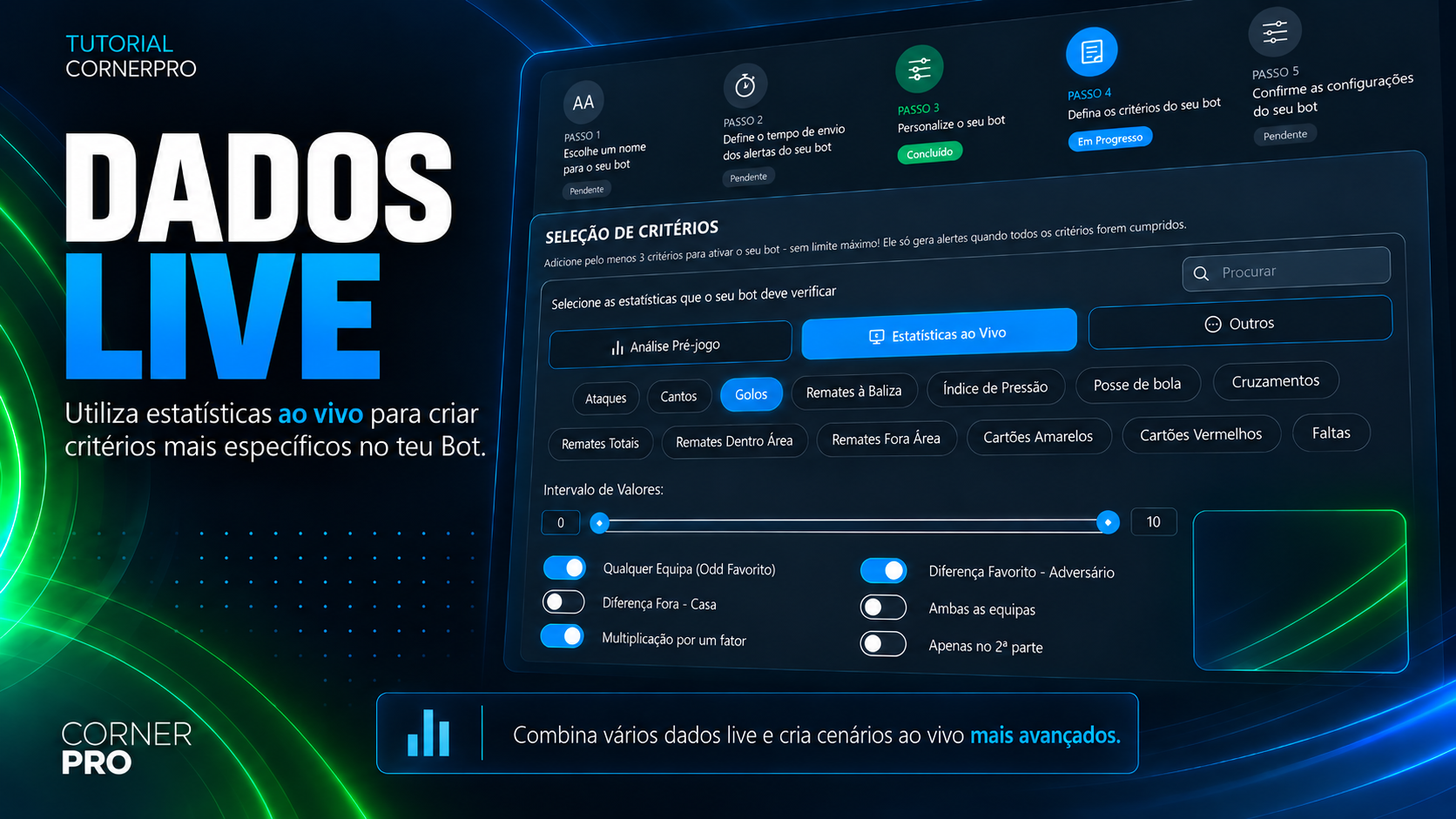
Choose the data and set the values
Start by selecting the data you want to use and set its Value Range.
This range determines the minimum and maximum values that must be met for the match to match your criterion.
For example, if you set a minimum of 5 shots on target, the Bot will look for matches that meet that condition.
The values can be adjusted according to the scenario you want to find.
Set which team it applies to
After setting the values, you can choose how that data should be analyzed.
You can apply the criterion to the home team, the away team, or require both teams to meet the condition.
You can also create a criterion for any team, when it does not matter whether it is the home, away, favorite or non-favorite team.
If you want to analyze the favorite, you can apply the criterion specifically to that team and use the Odds Range to better define the favorite profile you want to consider.
For example, you can look for matches where the favorite has 5 or more shots on target, within the odds range you set.
Compare the two teams
Live Data also lets you create criteria based on the difference between the teams' values.
For example, you can require the home team to have at least 5 more shots on target than the away team.
The same logic can be applied to the favorite and the opponent, helping you find matches where one team has a specific statistical advantage over the other.
When you use criteria related to the favorite, don't forget to also adjust the Odds Range.
Multiplication by a Factor
If you want to compare values proportionally, you can use the Multiplication by a Factor option.
Instead of setting only a fixed difference between the teams, this option lets you specify that one team's value must be a certain number of times higher than the other's.
For example, you can look for matches where one team has 2 times more shots on target than the opponent.
This way, you can create more specific Live scenarios and combine different Live Data with the other criteria of your Bot.
You want alerts only when one team has twice as many shots on target as the opponent. Which Live Data option should you use?
Answer to mark this tutorial as done.