


How to build a football bot: alerts and criteria
5 min readA bot scans matches for the criteria you set and sends an alert. How to choose the scenario, the criteria and the leagues, in 5 steps.
A football bot on CornerPro checks matches for you and sends an alert when one meets the criteria you set. To build a good one, decide first which match scenario you want to find and only then choose the criteria that describe it; the order matters more than the number of filters.
This guide walks through the 5 steps to create a bot, the types of criteria available, an example corners bot and how to test it on past matches before you rely on it.
What is a football alert bot?
It is a saved set of conditions that CornerPro checks automatically across every match. When a match meets all of them, you get an alert in the Bot Chats inside the CornerPro app and, if you link your account, on Telegram, with a link to the match analysis. Instead of opening dozens of matches looking for a pattern, the bot filters them and only tells you about the ones that fit.
There are two kinds: Pre-Live bots, which work with data from before kick-off, and Live bots, which look at what is happening in the match within a minute range you choose.
Before the criteria: which match scenario are you looking for?
This is the foundation of any bot. "I want a corners bot" or "a goals bot" is not enough. You need to define the behaviour you are looking for inside the match. For example:
- a favourite that is losing or drawing and starts to push;
- an open match where both teams attack and shoot often;
- a home side dominating the closing minutes, whatever the score.
All three might relate to the same market, but each needs different criteria. In the first, the score is central; in the third, it may not matter at all.
The 5 steps to create your bot
- Name and category. A name that makes the strategy obvious, and the matching category so your bots stay organised.
- When to receive alerts. Choose Pre-Live or Live. For Live bots, set the minute range in which the bot should search. For Pre-Live bots, choose between a list at a set time or an alert around 30 minutes before each match.
- Customise the behaviour (optional). Show the criteria values, include the analysis link, show live stats, goals and corners, or write your own message.
- Set the criteria. The conditions a match must meet.
- Confirm. Review the alert timing, the options and the criteria, then select "Create Bot".
Which criteria to use
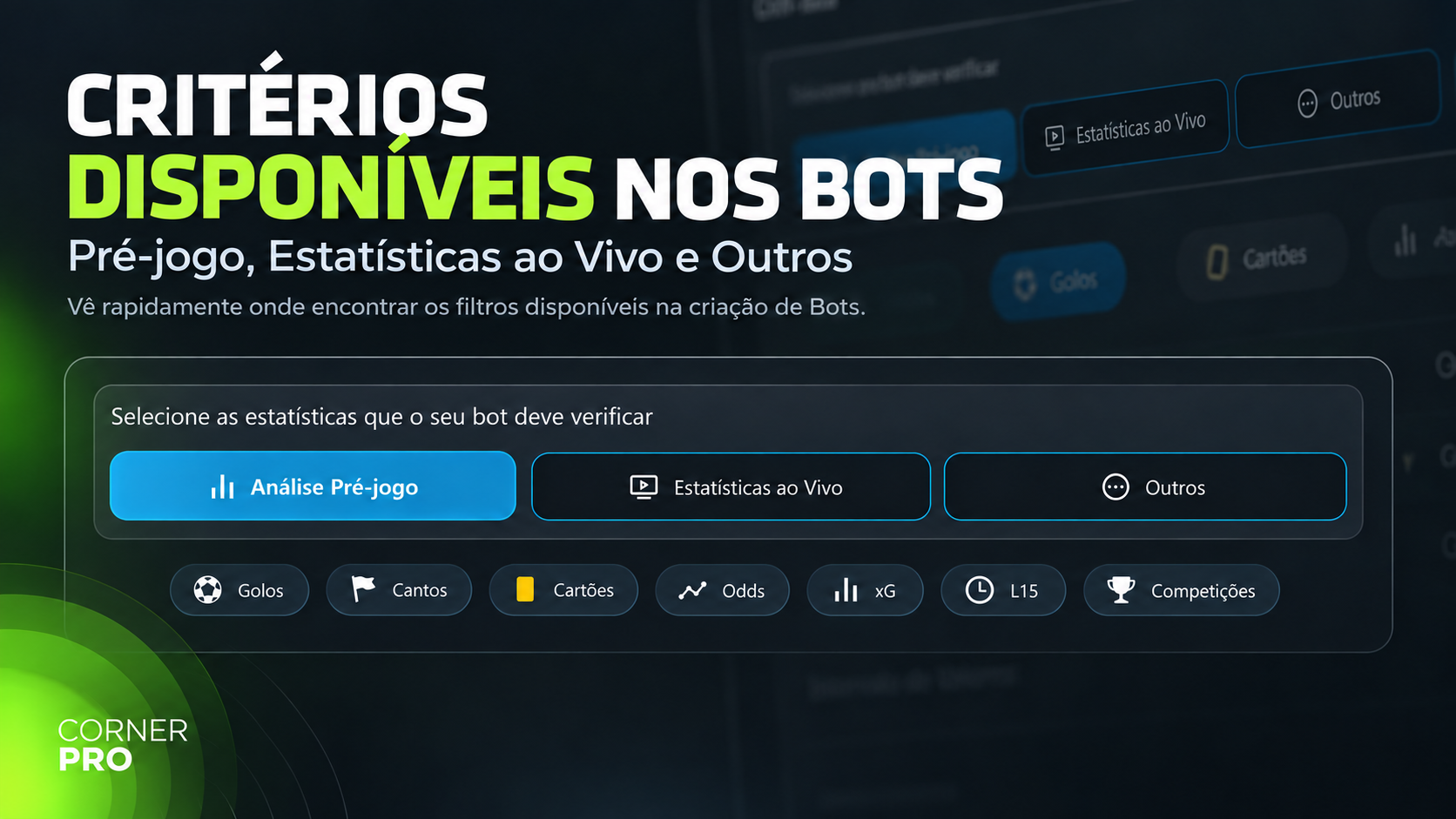
There are more than 100 criteria, grouped into three areas:
- Pre-Live Analysis: data from before the match, split into goals, corners and cards. For corners there are over predictions (from 1.5 HT to 9.5 FT), averages for and against, intervals (0-10, 37-HT, 80FT, 87FT and more) and races to 3, 5, 7 and 9.
- Live Statistics: dangerous attacks, corners, shots, possession, Pressure Index, and the Heat Map percentages by lane (left, centre, right) and attacking presence.
- Other: xG, L15, live and pre-match odds, standings, matchday, and the option to include or exclude competitions.
The bot only sends an alert when all criteria are met. That is why adding more criteria does not make a better bot. It makes a stricter one.
Example: a corners bot for the Premier League
Scenario: a home side pressing down the flanks towards the end of the first half.
- Type: Live, from minute 30 to 40.
- Pre-Live: high frequency of corners in the 37-HT interval for the home side, counting only its home matches.
- Live: home side's Pressure Index above the opponent's, and a Heat Map with more presence in the left and right lanes than through the centre.
- Other: Premier League only.
How to test the bot before using it
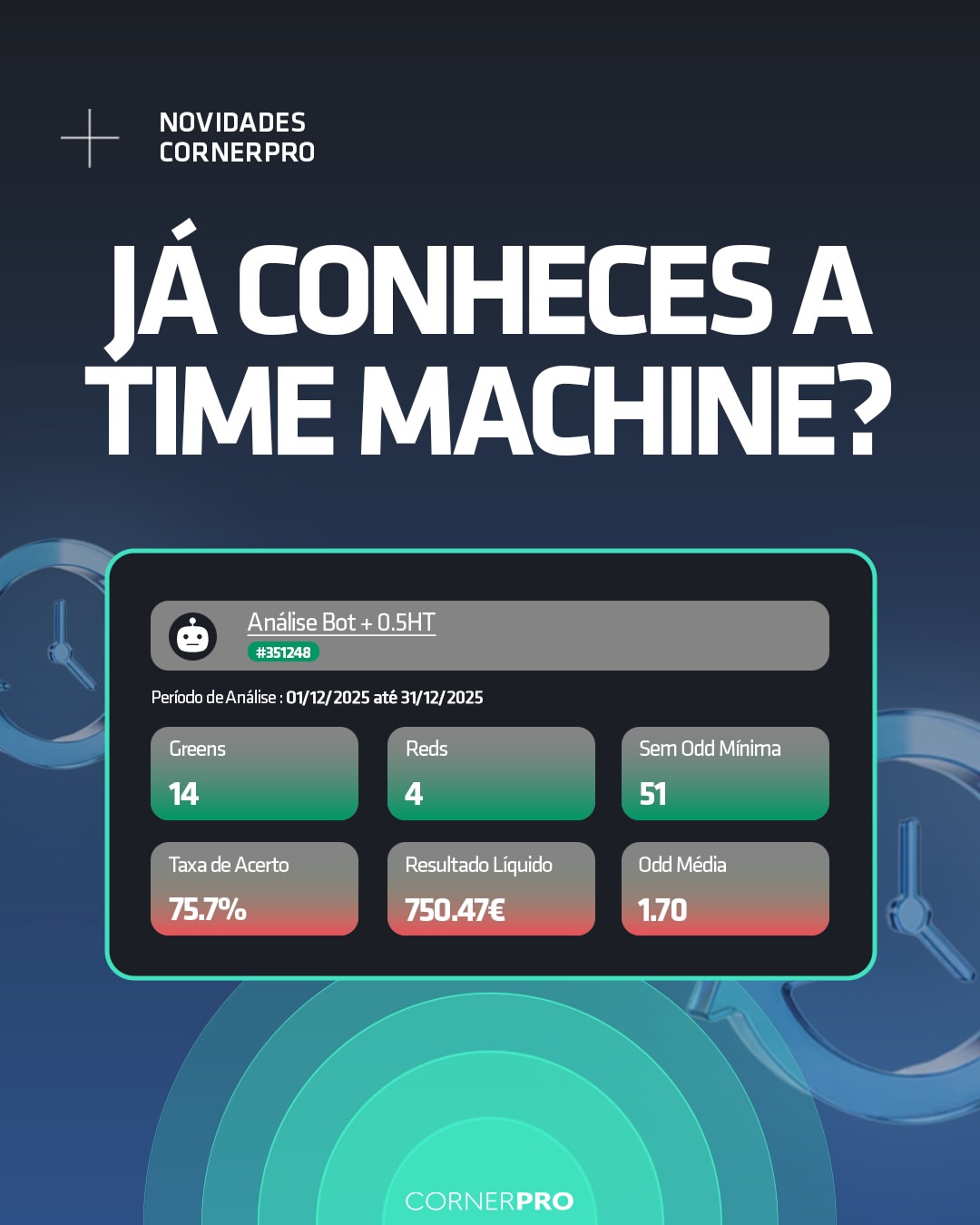
Time Machine runs your bot over matches that have already been played. Choose the bot, the period and the market, and it produces a report. The first thing to check is how many alerts it would have sent: a bot that fires in almost every match is not filtering anything, and one that never fires is too strict. Adjust, test again, and only then switch it on.
Frequently asked questions
Do more criteria make a better bot? No. They make it stricter. Choose the criteria that describe the scenario and drop the ones that add nothing.
Does the same bot work in every league? Not always. Averages vary a lot: on 30/09/2026 the Premier League was at 9.4 corners per match and LaLiga at 9.7, while Liga MX was at 10.7. A threshold designed for one can fire too often, or hardly ever, in another. Check each competition's data before widening the bot.
Can I stop alerts without deleting the bot? Yes. If you mute it, it keeps recording matches but stops notifying you. If you deactivate it, it stops working altogether.
What is the difference between List and Alerts in Pre-Live bots? List sends every match that meets the criteria at a set time. Alerts notify you around 30 minutes before each match.
Related tutorials
You are creating a Bot and want its alerts to be more relevant. According to the tutorial, what is the best approach when choosing the criteria?
Answer to mark this tutorial as done.