


Bot Marketplace: choose and activate bots in your plan
2 min readWhere to find the Marketplace, what each bot's numbers mean and how to activate bots at no cost in your plan.
In the Bot Marketplace you'll find bots made by other users and by CornerPro, with each bot's numbers. In this guide you'll see where it is, what the numbers mean and how to activate a bot in your plan.
Where to find it
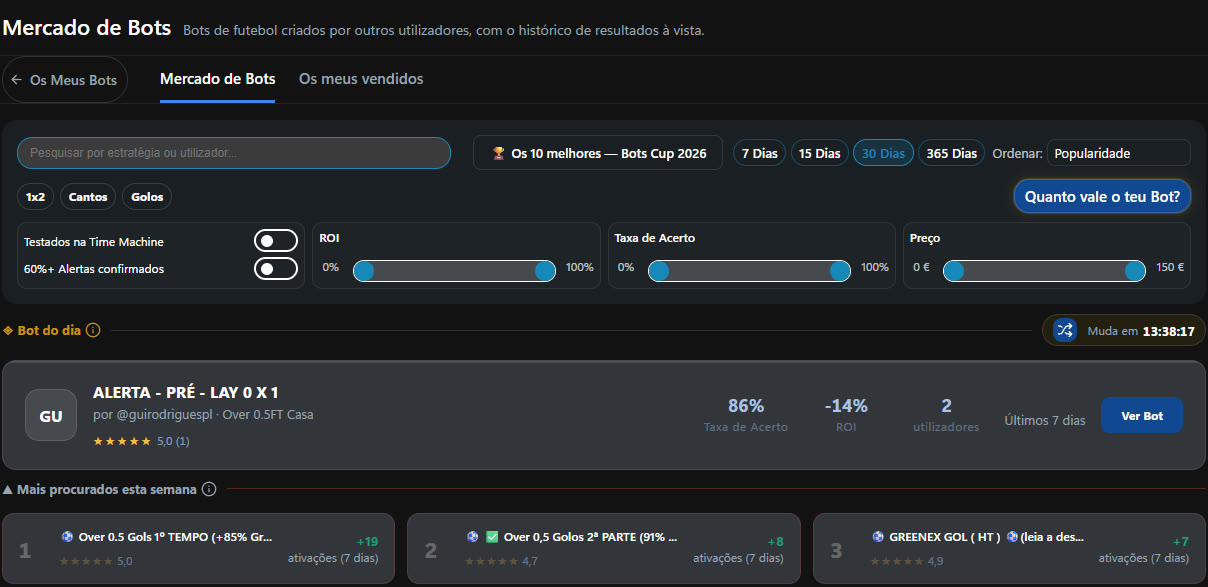
On the new Bot page, open the Bot Marketplace tab. Next to it are My Bots and My sold bots.
What you see on each bot
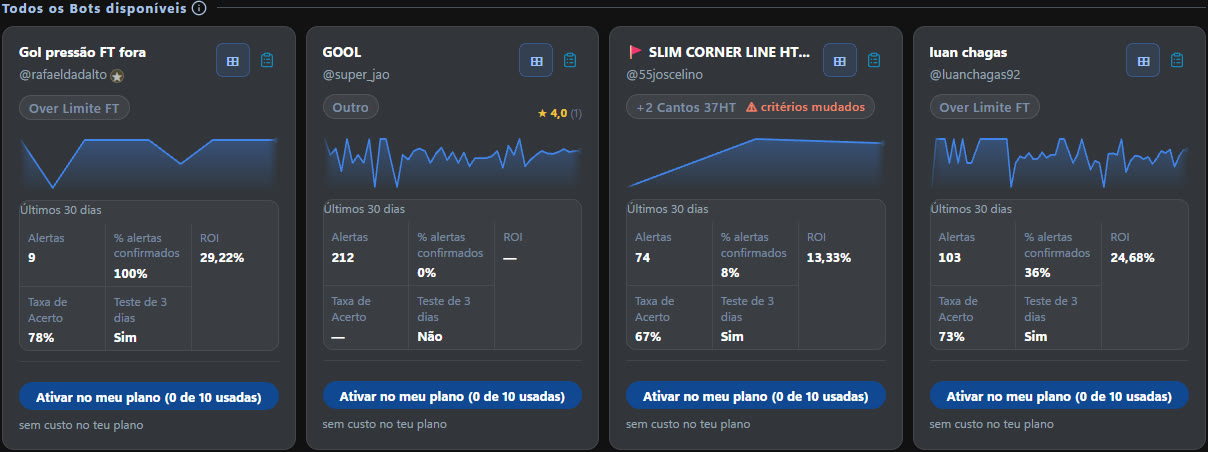
Each card shows the category (1x2, Corners, Goals), the users' rating and the numbers for the chosen period (for example, the last 30 days): how many Alerts it sent, the % Confirmed Alerts, the ROI and the Hit Rate. You also see how many users are using it.
Filter and sort
You can filter by category, ROI, hit rate and price, choose the period (7, 15, 30 or 365 days) and sort the list, for example by popularity. Highlighted at the top are the Bot of the day and Trending this week.
Activate in your plan
On the Master plan you can activate 3 Marketplace bots at no cost, and on Elite, 10. The button tells you how many slots you've already used, for example “Activate in my plan (0 of 10 used)”, and below it you see “free on your plan”. The bots you activate appear in the Activated Bots tab.
Buy
If you've already used all the slots in your plan, or if you're on the Pro plan, the button changes to Buy and the card shows the monthly price.
Sell your bot
On one of your bots, open the ⋮ menu and choose Sell. Your sales and what you've earned are in My sold bots.
How to choose
Look at several periods, not just the best one. A bot with many alerts and a steady hit rate tells you more than one with few alerts and a very high ROI, which may come from two or three matches.
You're on the Elite plan and haven't activated any Marketplace bot yet. What happens if you click “Activate in my plan” on a bot?
Answer to mark this tutorial as done.